SIDEWALK · 3D Shoe Customizer
Choose colours, add a pattern and personalise the heel. Explore your pair in 3D before sending the design to the store.
On this page
- 01Let customers see their own pair before the conversation
- 02Choose a component and see the colour on the shoe
- 03Turn options into identity with a pattern and a name
- 04Inspect the design from several angles
- 05Connect the 3D experience to a request the store can handle
- 06Custom work built on an existing system
- 07Apply the idea to your product
- 08Want customers to design your product?
SIDEWALK · 3D Shoe Customizer
Choose colours, add a pattern and personalise the heel. Explore your pair in 3D before sending the design to the store.
Opens the demonstration in a new tabLet customers see their own pair before the conversation
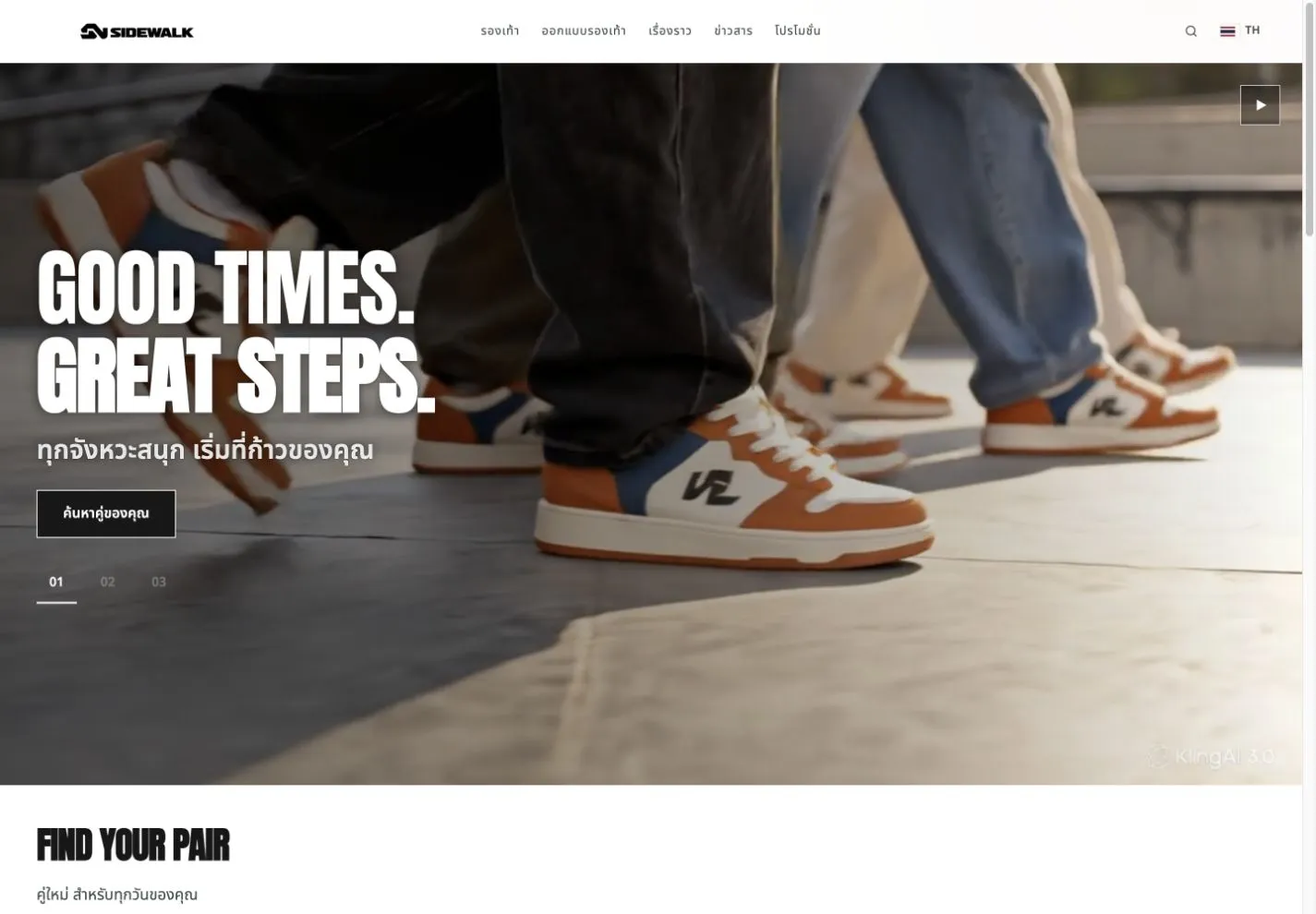
Some products are easier to understand by trying the options. SIDEWALK turns a static product presentation into an interactive design space. Visitors choose a component, see colours and patterns on a 3D shoe and carry a concrete specification into the conversation with the store. It is an approach for footwear brands and other products with personalised options.
Choose a component and see the colour on the shoe
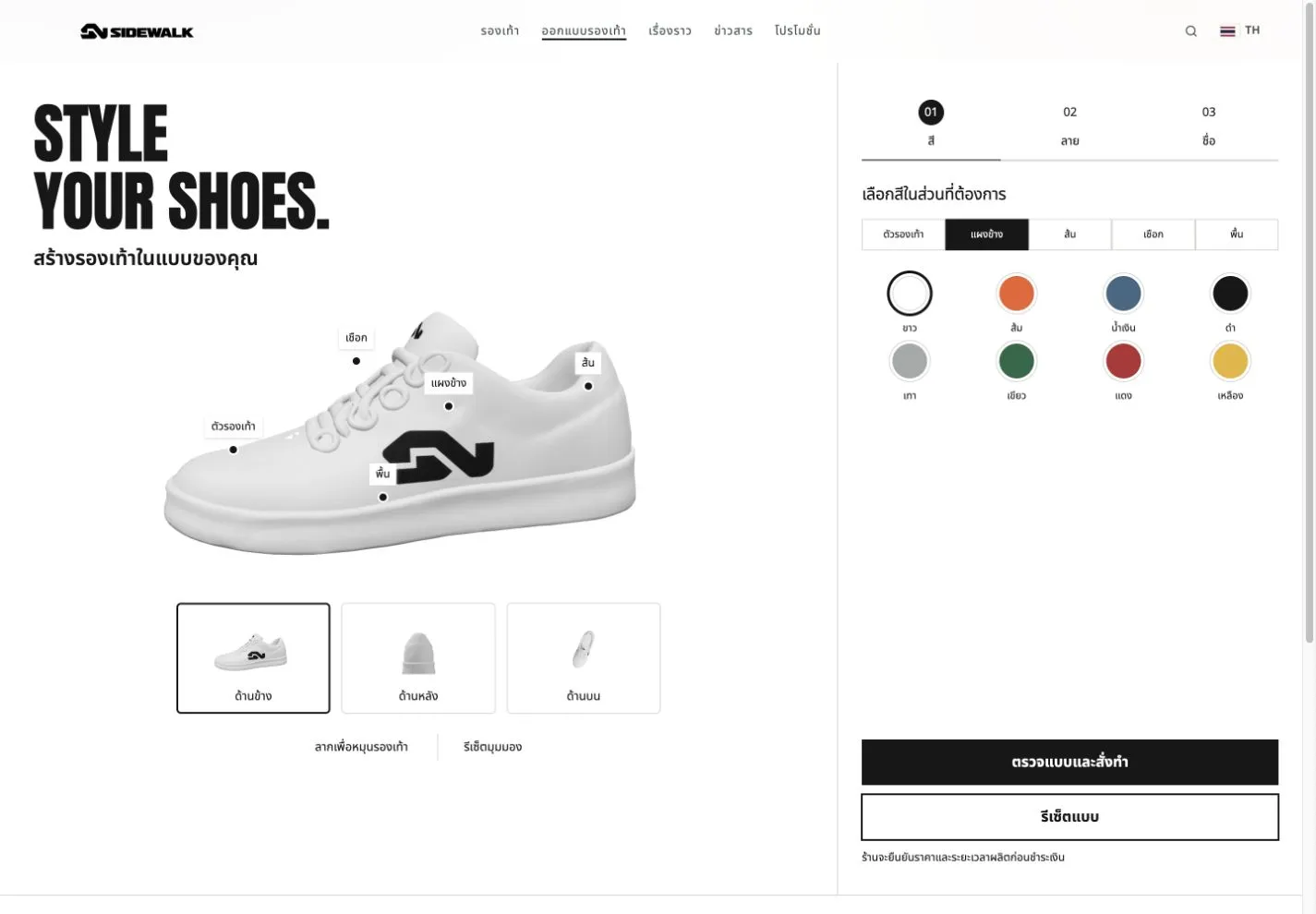
The body, side panel, heel, laces and sole can be selected individually, with a palette to explore. Component-level controls make it clear what is changing and allow comparison in one screen. Hotspots on the shoe work alongside the controls, so visitors do not have to infer the result from colour names alone.
Turn options into identity with a pattern and a name
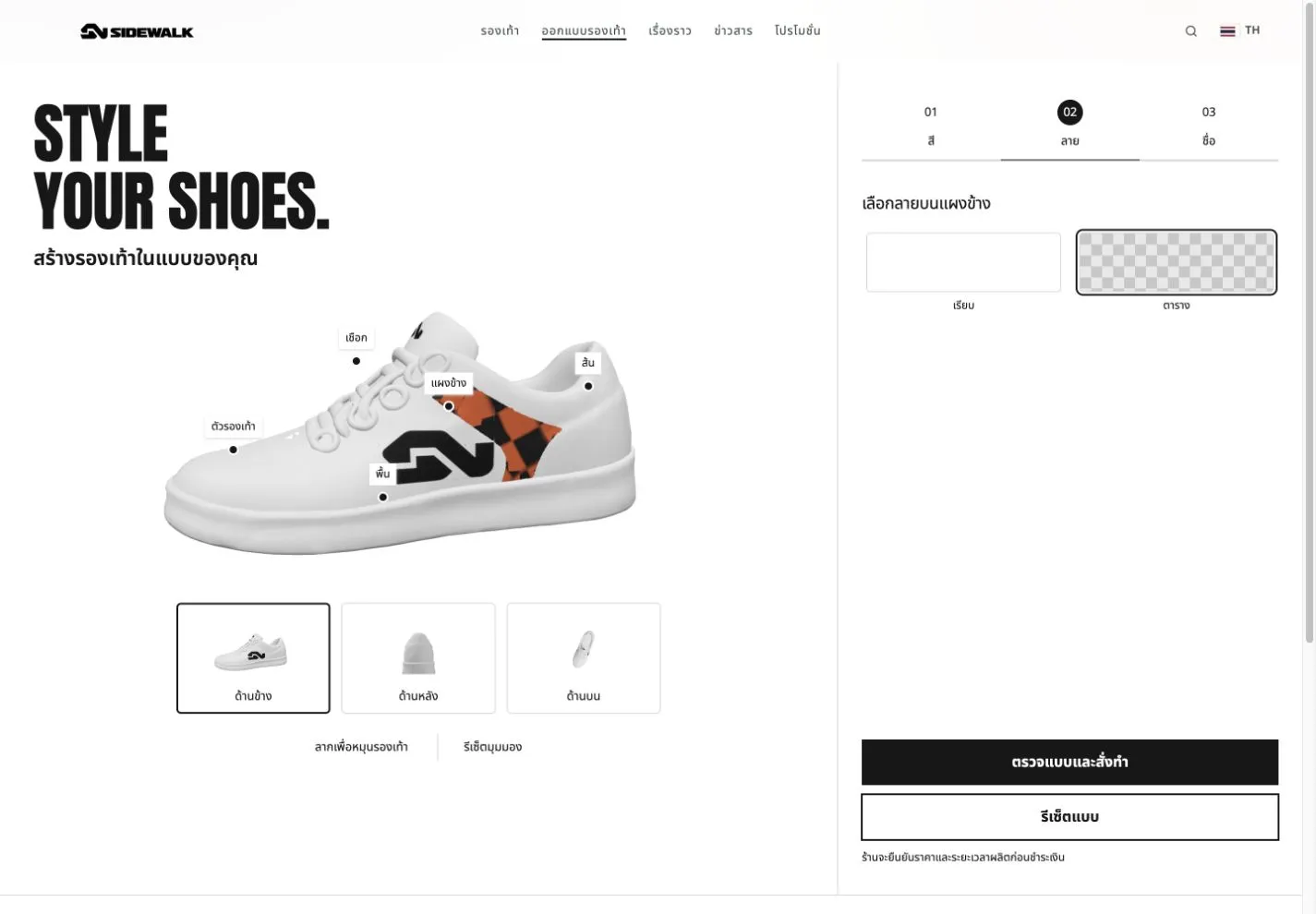
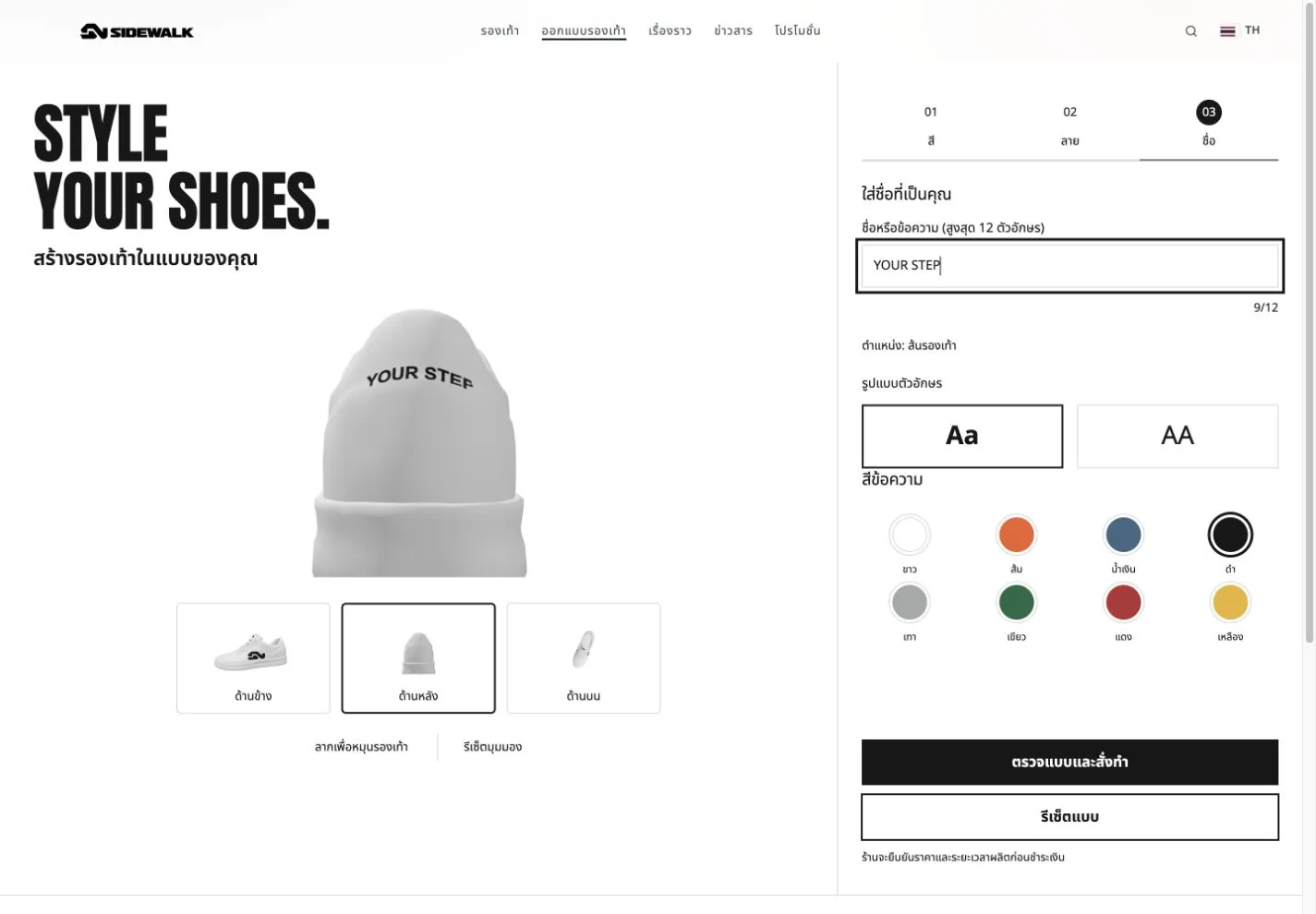
Choose a plain or grid side panel, then add a heel name or message of up to 12 characters, with text colour and lettering options. The interaction demonstrates how a product can invite participation, from choosing a favourite colour to adding a personal detail.
Inspect the design from several angles
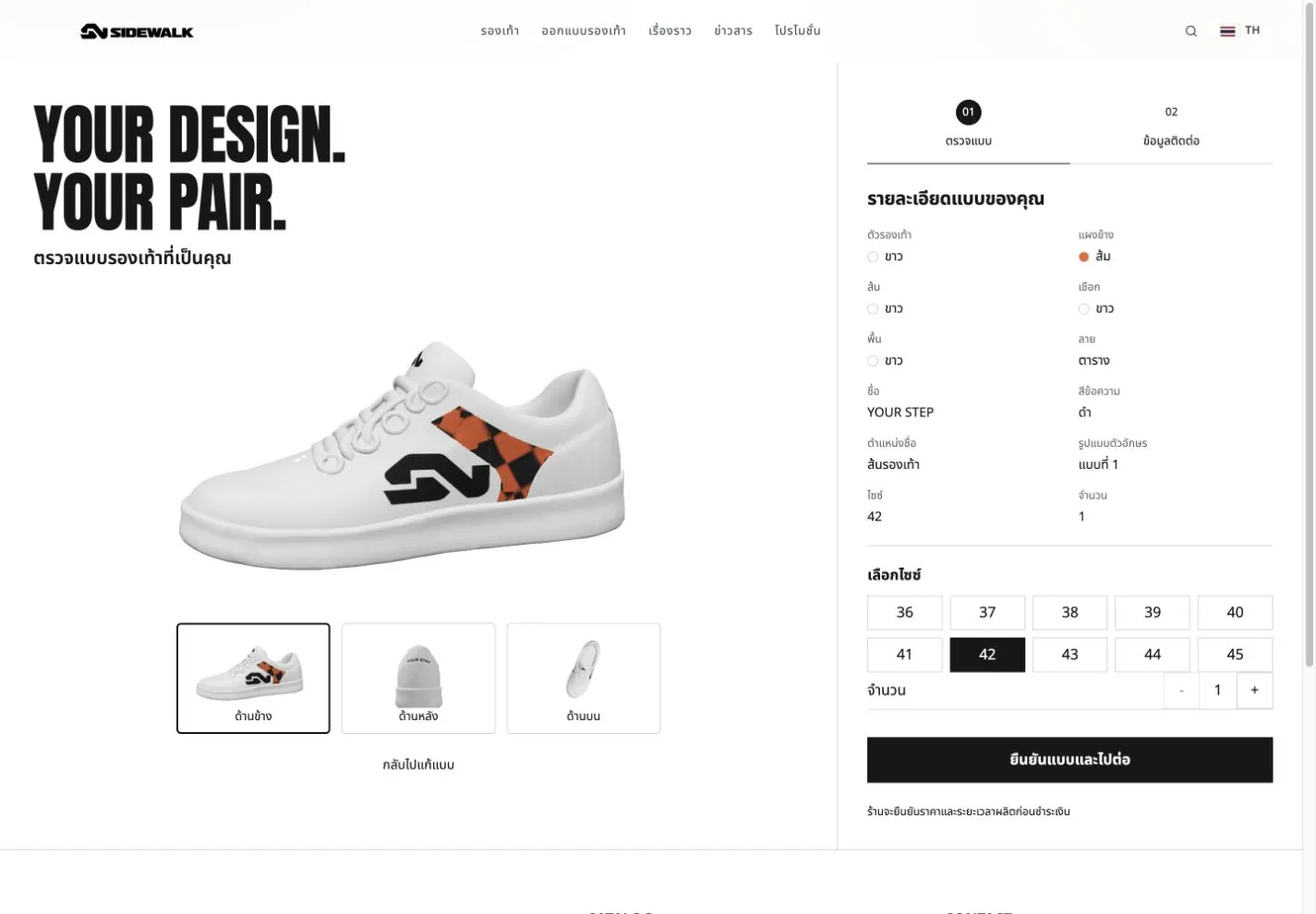
Drag to rotate the shoe or jump to side, rear and top views. View and design reset controls are available. The review step presents the chosen design and a summary of colours, pattern, name, size and quantity, with a route back to editing before continuing.
Connect the 3D experience to a request the store can handle
After reviewing the design, visitors continue to an Exploera native contact form with the design specification and consent. This example is a request flow for the store to confirm price and production timing, not a shopping cart or online payment system. Stock, automatic pricing and checkout integrations require additional scope.
Custom work built on an existing system
The 3D customizer, design review and request flow are estimated at THB 50,000 as a one-time fee. This is already part of the SIDEWALK total custom fee of THB 60,000, not an additional charge. The complete website example uses a THB 7,200 monthly module package including server service and 500 AI credits per month.
See the full SIDEWALK module breakdown, package price and estimated delivery time
Apply the idea to your product
Start with the decisions customers actually need to make, such as colour, material, pattern or lettering, then define whether the result should lead to a request, a quotation or another workflow. This example demonstrates the presentation approach; product support and manufacturing rules need to be scoped against the business itself.
* Prices exclude VAT and image editing/production, video and 3D model production. Media is quoted separately according to the project agreement. Two working days is the complete website estimate with prepared inputs, not a delivery promise for every project.
SIDEWALK is a fictional demonstration brand. Illustrations show the actual demo interface and do not represent customer outcomes.
Want customers to design your product?
Tell Exploera about your products and workflow. We can assess what existing modules cover and where a custom brand experience adds value.

Details
- Category
- Custom Page
- Tags
- showcase-custom
- Published
- Oct 15, 2026
- Read time
- 3 min